Folders
Folders sort your items. They are one level deep.
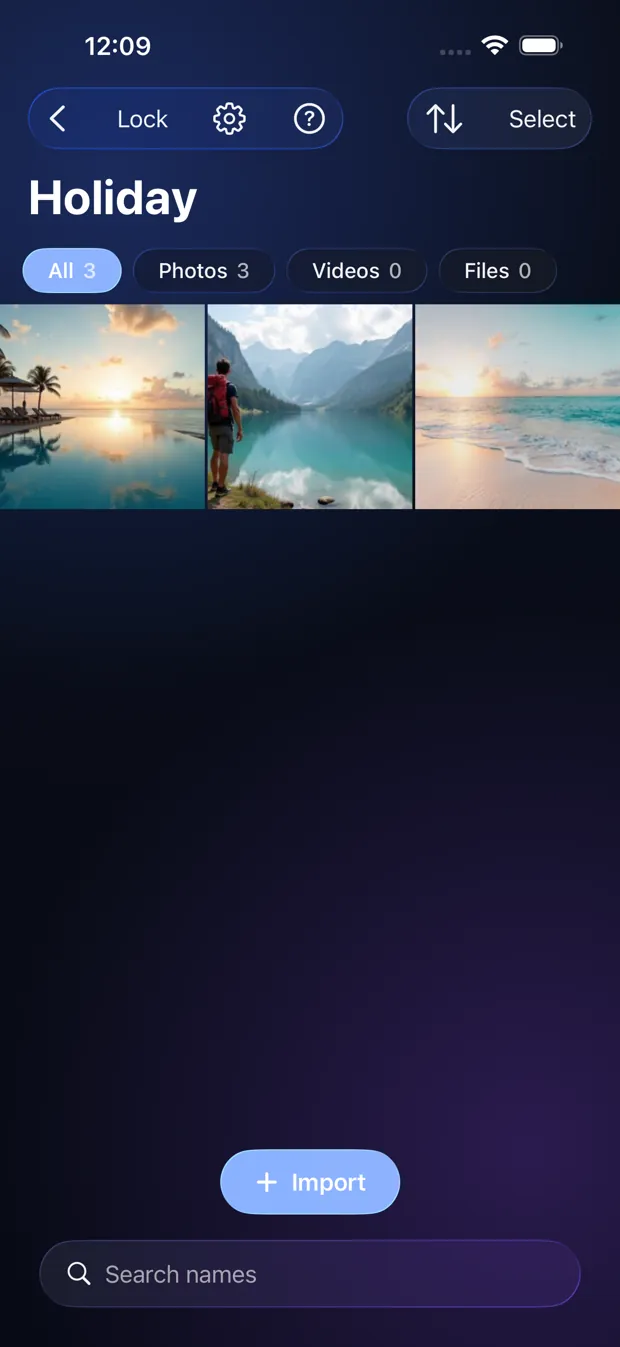
Step by step
- Tap the folder-plus button, or choose New Folder in the Import menu.
- Tap a folder to open it. Use the arrow to go back.
- To move items, tap Select, pick them, then Move.
- Long-press a folder to rename or delete it.
Good to know
- Deleting a folder does not delete its items. They go back to the top of the Vault.
- Importing while a folder is open puts the new items in that folder.
Other topics
- Welcome to StrongRoom
- Choose how to unlock
- Your recovery phrase
- Unlocking
- Forgot your unlock?
- Your Vault
- Folders
- Viewing items
- Settings
- Change your unlock
- More than one Vault
- Duress Vault
- Recovery PIN
- Export and restore
- Share items
- Open a Share Package
- StrongRoom Pro
Coming to the App Store. See what version 1.0 includes.