Export and restore
Save a Vault as one encrypted file, and bring it back on a new iPhone.
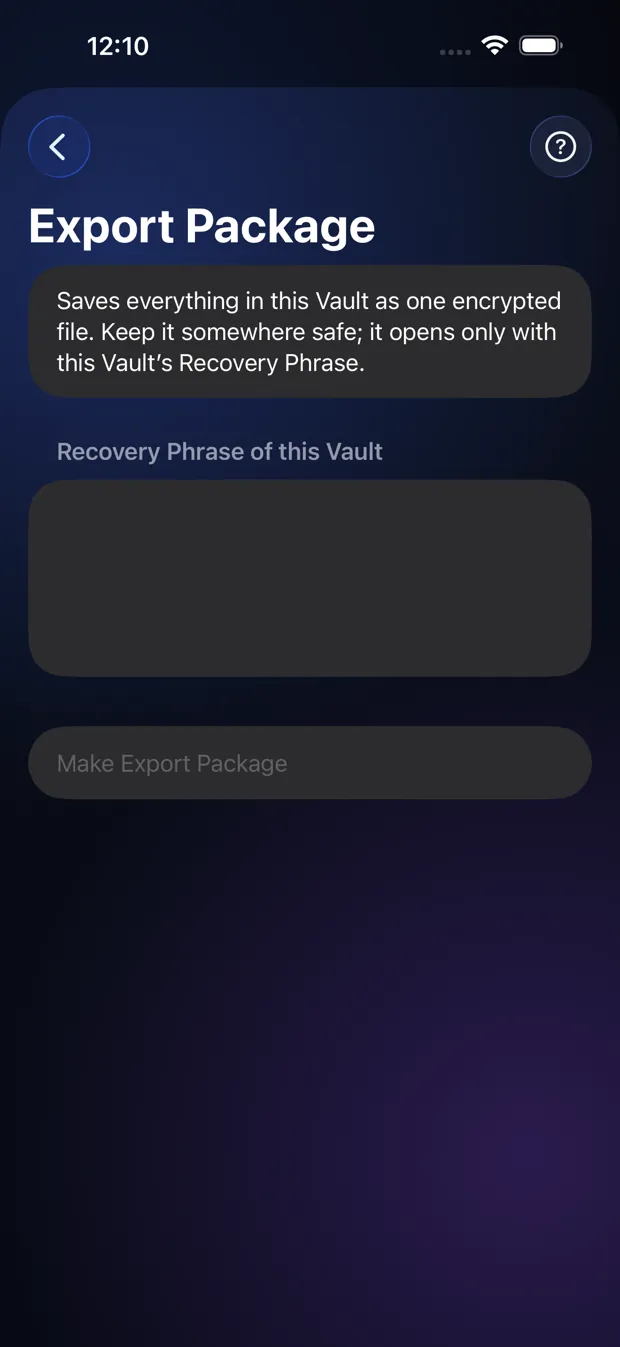
Step by step
- Open Settings, then Export Package.
- Type the Recovery Phrase of this Vault and tap Make Export Package.
- Save the file somewhere safe: Files, AirDrop, or another place you trust.
- On a new phone with no Vault, tap “Restore from an Export Package” on the first screen, pick the file and enter the phrase.
Good to know
- The file is unreadable without the phrase. There is no cloud backup, so an Export Package is your safety net.
- Restore works only on a phone that has no Vault yet.
Other topics
- Welcome to StrongRoom
- Choose how to unlock
- Your recovery phrase
- Unlocking
- Forgot your unlock?
- Your Vault
- Folders
- Viewing items
- Settings
- Change your unlock
- More than one Vault
- Duress Vault
- Recovery PIN
- Export and restore
- Share items
- Open a Share Package
- StrongRoom Pro
Coming to the App Store. See what version 1.0 includes.