Duress Vault Pro
A Pro feature for emergencies. Opening it erases every other Vault on this phone.
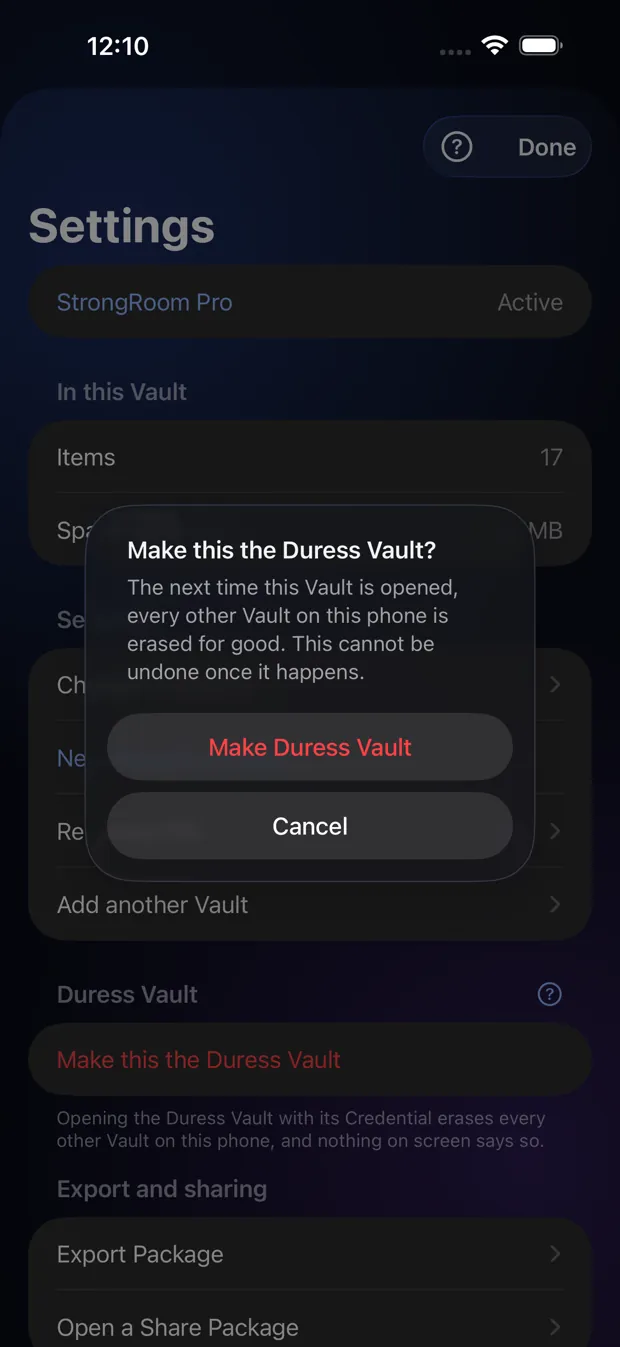
Step by step
- You need at least two Vaults.
- Open the Vault you want to be the Duress Vault, then Settings, then “Make this the Duress Vault”.
- Read the warning and confirm. Nothing is erased yet.
- Later, opening that Vault with its unlock erases all the others, with no message and no undo.
Good to know
- Only turn it on if you understand it. Erased Vaults can be brought back only from an Export Package you saved earlier.
- It protects you by what it destroys, not by hiding the app.
Other topics
- Welcome to StrongRoom
- Choose how to unlock
- Your recovery phrase
- Unlocking
- Forgot your unlock?
- Your Vault
- Folders
- Viewing items
- Settings
- Change your unlock
- More than one Vault
- Duress Vault
- Recovery PIN
- Export and restore
- Share items
- Open a Share Package
- StrongRoom Pro
Coming to the App Store. See what version 1.0 includes.